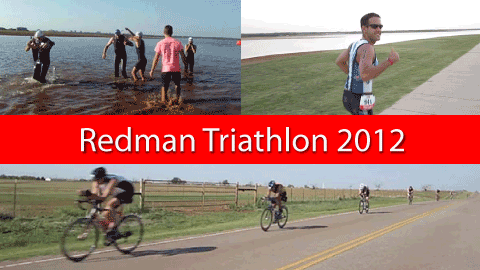

Video Viewing Options
Streaming
Due to bandwidth issues with my web hosting company, the only streaming option available at this time is through YouTube. Let me warn you, though, that the picture quality is horrible due to YouTube's excessive video compression, which results in blotchy color and fuzzy text. (The poor quality is a major reason why I never post my videos on YouTube unless I simply have no other choice. It's very frustrating to create a video with a very high picture quality, only to have YouTube ruin it to the point where you can hardly bring yourself to watch it there.) With that limitation in mind, click here to watch the video on YouTube.
Downloading
Instead of watching the video streamed over the Internet, I strongly recommend downloading the video to your computer and watching it from there. You can download either a small screen (640 by 360 pixels) or large screen (1280 by 720 pixels) version, and both are very high quality. They are also very large files. The smaller version is about 320 MB, while the larger version is over four times larger, at 1.46 GB. The amount of time it takes to download either one of these files can also vary significantly, depending on the speed of your Internet connection.
If you choose to download the video, please read these Video Download Instructions before doing so.
Video Download Instructions
Because of legal issues over piracy, Internet browsers don't offer easy, built-in means of downloading video files. (Yes, there are some third-party browser add-ons available to make downloading easy, but not everyone has one installed.) To sidestep that obstacle, I've provided a roundabout way of easily downloading this video regardless of which browser you use. There are only a few steps, and they make look strange, but this approach is relatively easy and works well. Basically, we're making the browser think the video file is a document (.doc) file--which browsers download quite easily--and then you can "convert" it to a video file just by changing its extension (from .doc to .mov).
Please read these instructions carefully:
- Click on the link of the video version you'd like to download:
Small screen version: 640 x 360; 320 MB
Large screen version: 1280 x 720: 1,460 MB
- Depending on which browser you use, you may see a dialog box open, asking whether you want to open the file, or save it. Choose "Save File", and then hit "OK". Some browsers may not open a dialog box, and simply begin downloading the file. If it begins downloading, skip to step 4.
- Again, depending on your browser, another dialog box may open, asking where you want to save the file on your computer. Choose a location, then hit "Save". The file will then download.
- THIS STEP IS VERY IMPORTANT! Once the file has finished downloading and has been saved to your computer, you have to change the file's extension from .doc to .mov
- You may get an "Are you sure?" or similar warning about changing the file's extension, but ignore the warning and make the change. You're done.
The video is in Apple's QuickTime format, and can be played with QuickTime Player and many other video players.
If you have any problems, please let me know and I'll do my best to help.
